|
|
@@ -1,16 +1,16 @@
|
|
|
|
# BTCPay Server payment gateway for Odoo 17
|
|
|
|
# BTCPay Server payment gateway for Odoo 18
|
|
|
|
|
|
|
|
|
|
|
|
## This is the module to connect Odoo 17 and BTCPay Server
|
|
|
|
## This is the module to connect Odoo 18 and BTCPay Server
|
|
|
|
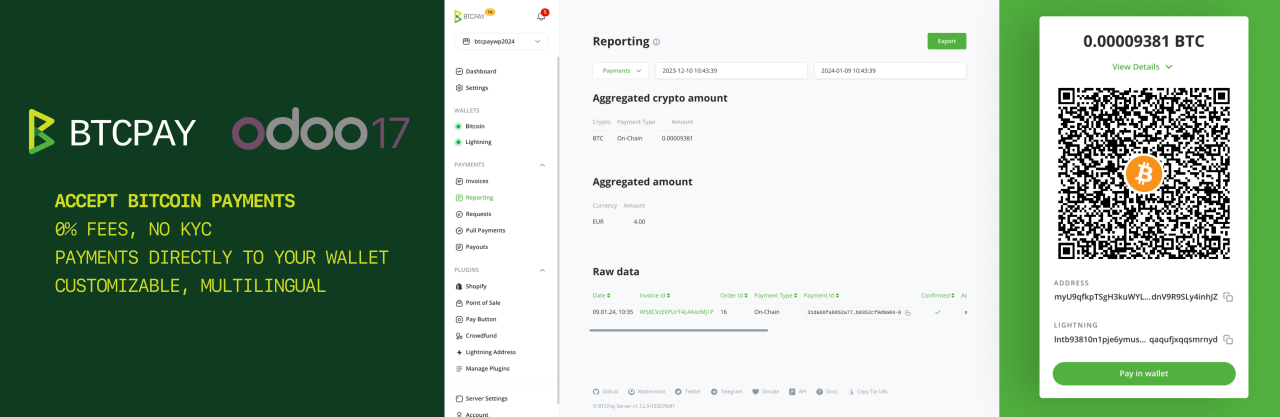
This module allows you to accept bitcoin (and other cryptocurrency) payments in your Odoo e-commerce store.
|
|
|
|
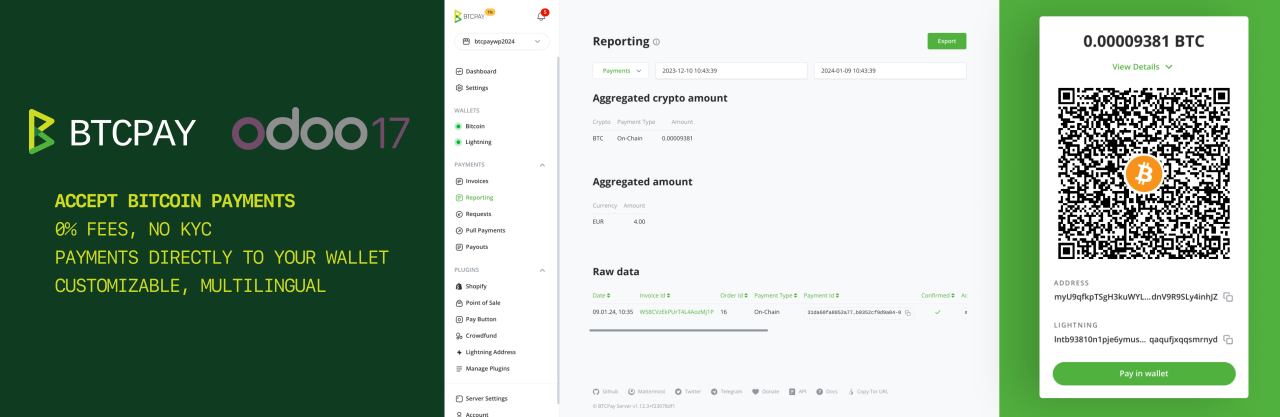
This module allows you to accept bitcoin (and other cryptocurrency) payments in your Odoo e-commerce store.
|
|
|
|
|
|
|
|
|
|
|
|
|
|
|
|
|
|
|
|
:::tip
|
|
|
|
:::tip
|
|
|
|
If you use Odoo 16 you can find the documentation [here](https://github.com/btcpayserver/odoo/blob/16.0/payment_btcpayserver/README.md).
|
|
|
|
If you use Odoo 16 you can find the documentation [here](https://github.com/btcpayserver/odoo/blob/16.0/payment_btcpayserver/README.md) and for Odoo 17 [here](https://github.com/btcpayserver/odoo/blob/17.0/payment_btcpayserver/README.md).
|
|
|
|
:::
|
|
|
|
:::
|
|
|
|
|
|
|
|
|
|
|
|
## Install the module
|
|
|
|
## Install the module
|
|
|
|
* Clone our [repository](https://github.com/btcpayserver/odoo) or download the .zip from the [releases page](https://github.com/btcpayserver/odoo/releases)
|
|
|
|
* Clone our [repository](https://github.com/btcpayserver/odoo) or download the .zip from the [releases page](https://github.com/btcpayserver/odoo/releases)
|
|
|
|
* Make sure you are on branch `17.0` or downloaded a release tagged with version v17.x
|
|
|
|
* Make sure you are on branch `18.0` or downloaded a release tagged with version v18.x
|
|
|
|
* Place the `payment_btcpayserver` directory in your Odoo addons directory
|
|
|
|
* Place the `payment_btcpayserver` directory in your Odoo addons directory
|
|
|
|
* Install dependencies by running `pip install -r requirements.txt` (from inside the `payment_btcpayserver` directory)
|
|
|
|
* Install dependencies by running `pip install -r requirements.txt` (from inside the `payment_btcpayserver` directory)
|
|
|
|
* Restart Odoo
|
|
|
|
* Restart Odoo
|
|
|
@@ -46,13 +46,13 @@ Check the payment method is enabled:
|
|
|
|
|
|
|
|
|
|
|
|
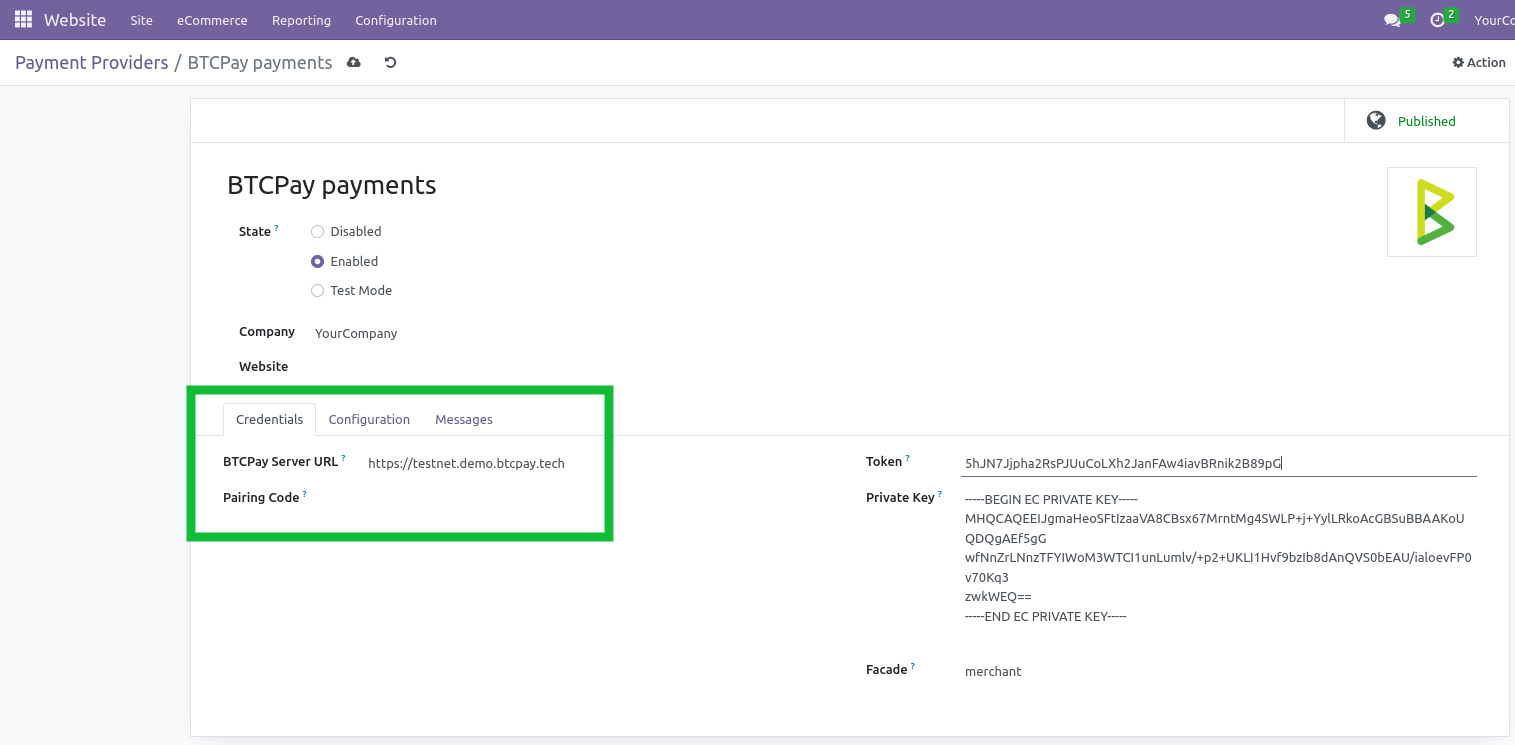
Congrats, all done. Do some testing to be sure all works.
|
|
|
|
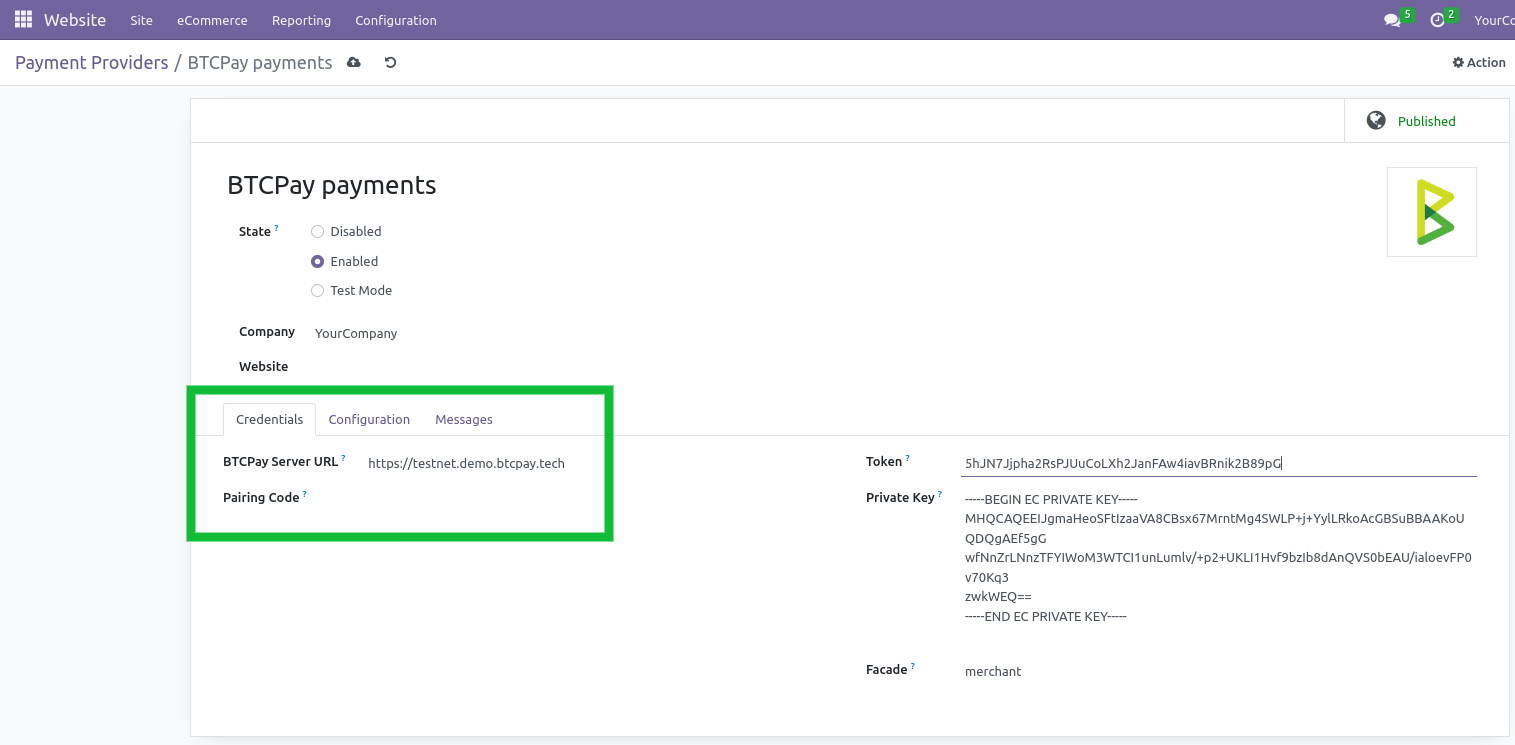
Congrats, all done. Do some testing to be sure all works.
|
|
|
|
|
|
|
|
|
|
|
|
|
|
|
|
|
|
|
|
|
|
|
|
|
|
|
|
## How does the payment page look?
|
|
|
|
## How does the payment page look?
|
|
|
|
|
|
|
|
|
|
|
|
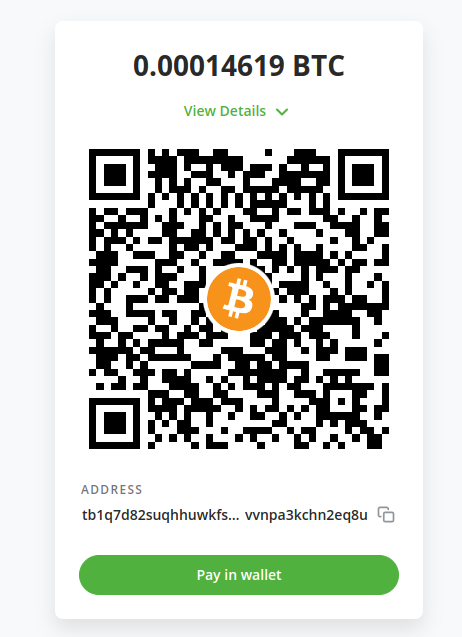
During the checkout the customers will have the option to select the payment method "Pay with Bitcoin / Lightning Network". After selecting they will be redirected to the BTCPay checkout page as shown below.
|
|
|
|
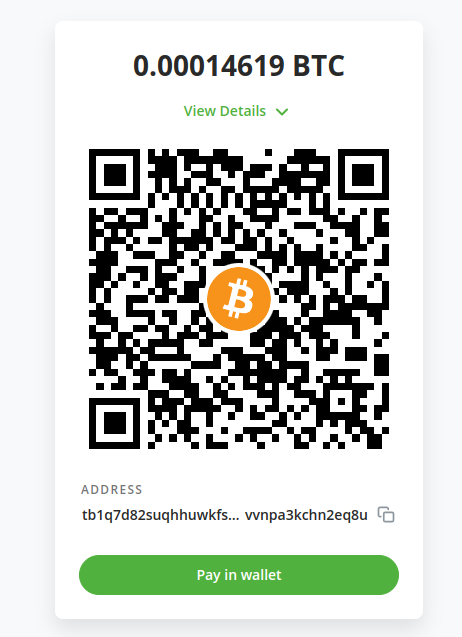
During the checkout the customers will have the option to select the payment method "Pay with Bitcoin / Lightning Network". After selecting they will be redirected to the BTCPay checkout page as shown below.
|
|
|
|
|
|
|
|
|
|
|
|
|
|
|
|
|
|
|
|
|
|
|
|
|
|
|
|
|
|
|
|
|
|
|
|
## Transaction BTCPay Details
|
|
|
|
## Transaction BTCPay Details
|
|
|
@@ -61,7 +61,7 @@ In transaction object, you will find more technical information about this metho
|
|
|
|
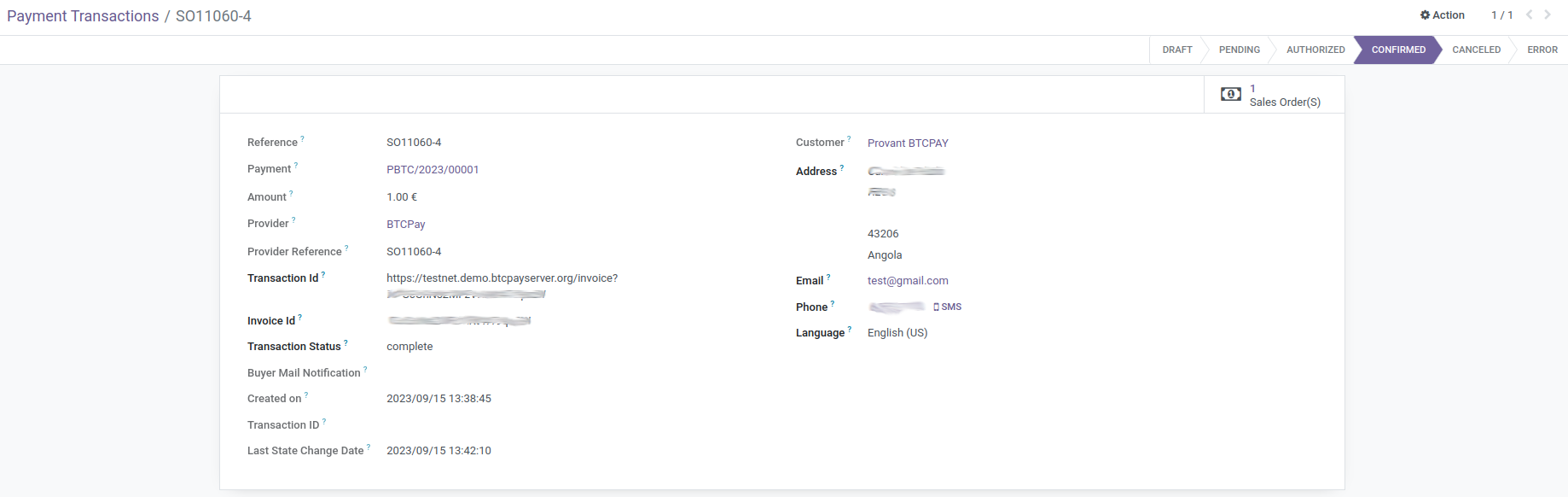
* Invoice Id: the id of the invoice for which you want to fetch an event token
|
|
|
|
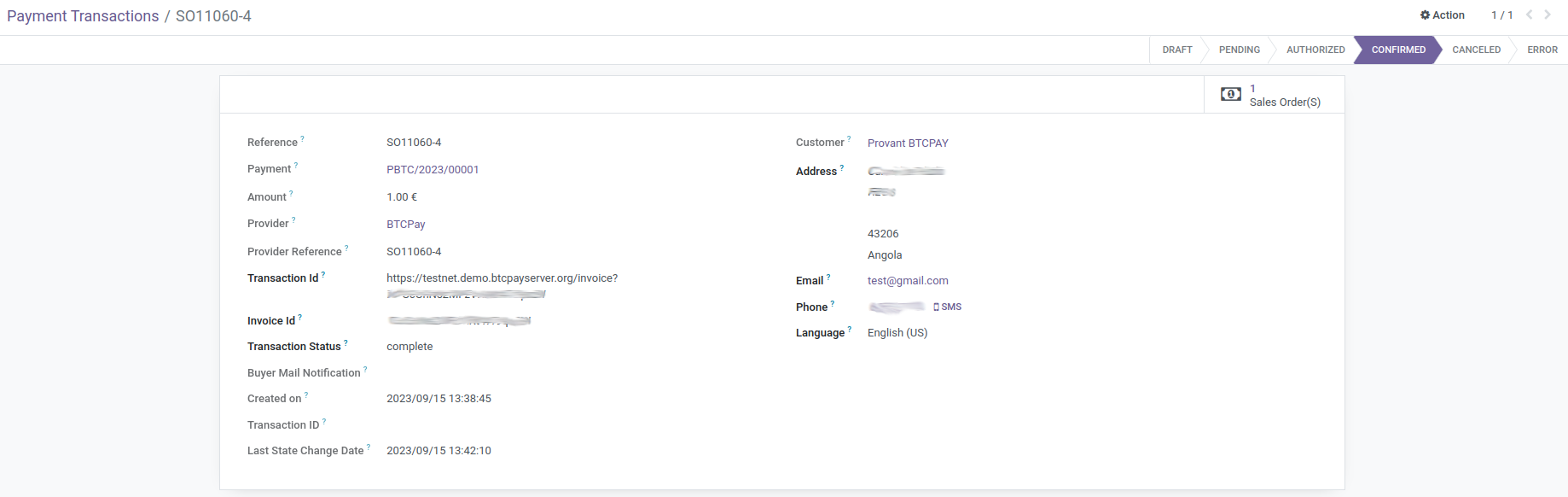
* Invoice Id: the id of the invoice for which you want to fetch an event token
|
|
|
|
* Transaction Status: That indicates state of transaction
|
|
|
|
* Transaction Status: That indicates state of transaction
|
|
|
|
|
|
|
|
|
|
|
|
|
|
|
|
|
|
|
|
|
|
|
|
|
|
|
|
## Troubleshooting
|
|
|
|
## Troubleshooting
|
|
|
|
### The order and transaction status does not get updated to "paid"
|
|
|
|
### The order and transaction status does not get updated to "paid"
|
|
|
|
 ndeet
ndeet