Compare commits
| Author | SHA1 | Date | |
|---|---|---|---|
 ndeet ndeet
|
0964f344bd | ||
 ndeetandGitHub ndeetandGitHub
|
95c6cd53d9 | ||
|
ndeet
|
1421168374 | ||
|
ndeet
|
600a054314 | ||
|
ndeet
|
bc934a0745 | ||
|
ndeet
|
c5cd74e03f | ||
|
ndeet
|
9e2475f415 | ||
|
ndeet
|
488aea8771 | ||
|
ndeet
|
0f31982616 | ||
|
ndeet
|
c32776ba60 | ||
|
ndeet
|
43636e52e3 |
@@ -1,12 +0,0 @@
|
|||||||
# BTCPay Server payment gateway for Odoo 16, 17 and 18
|
|
||||||
|
|
||||||
## Accept bitcoin payments on Odoo 16, 17 and 18
|
|
||||||
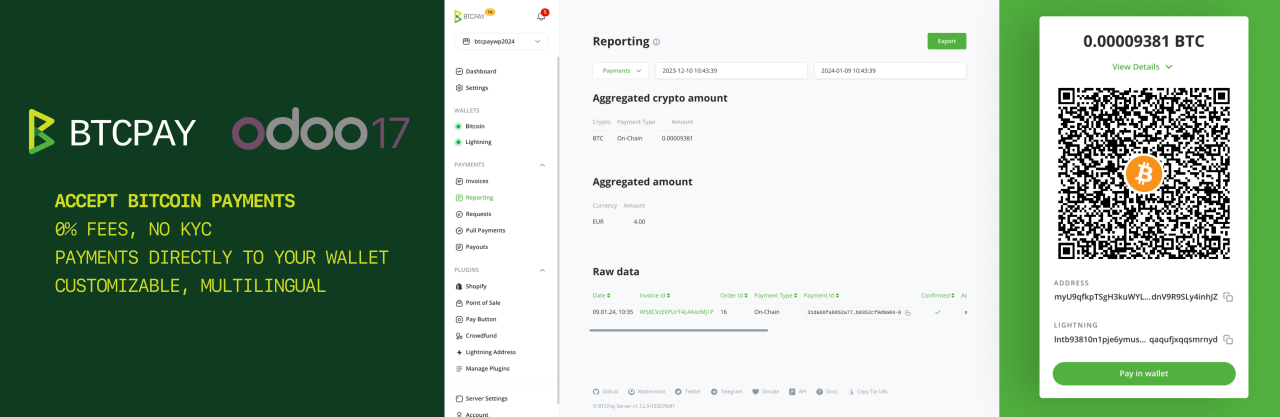
This odoo addon allows you to accept bitcoin and Lightning Network (and other cryptocurrency) payments in your Odoo e-commerce store.
|
|
||||||
|
|
||||||
|
|
||||||
## How to install
|
|
||||||
|
|
||||||
Please find the installation instructions here:
|
|
||||||
- [Odoo 18 documentation](https://github.com/btcpayserver/odoo/blob/18.0/payment_btcpayserver/README.md)
|
|
||||||
- [Odoo 17 documentation](https://github.com/btcpayserver/odoo/blob/17.0/payment_btcpayserver/README.md)
|
|
||||||
- [Odoo 16 documentation](https://github.com/btcpayserver/odoo/blob/16.0/payment_btcpayserver/README.md)
|
|
||||||
@@ -1,16 +1,12 @@
|
|||||||
# BTCPay Server payment gateway for Odoo 18
|
# BTCPay Server payment gateway for Odoo 16
|
||||||
|
|
||||||
## This is the module to connect Odoo 18 and BTCPay Server
|
## This is the module to connect Odoo 16 and BTCPay Server
|
||||||
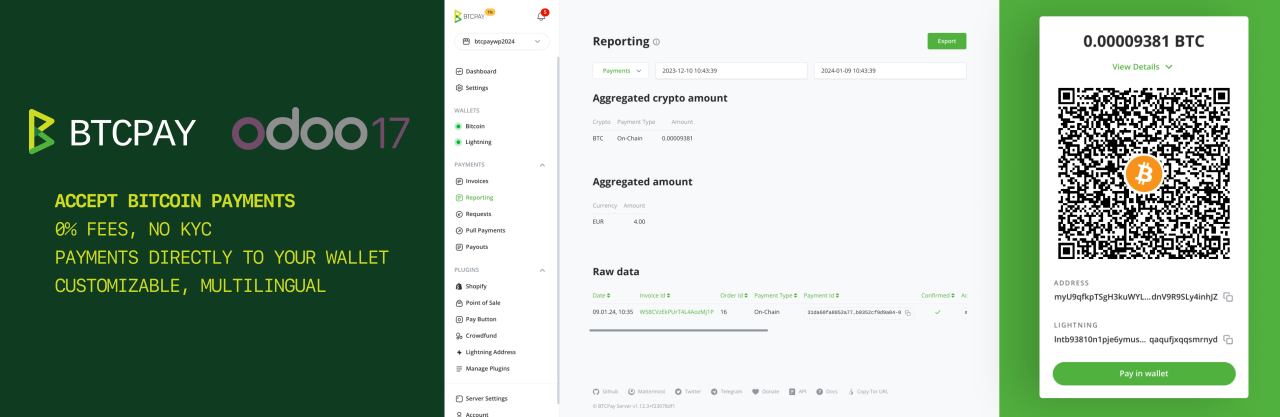
This module allows you to accept bitcoin (and other cryptocurrency) payments in your Odoo e-commerce store.
|
This module allows you to accept bitcoin (and other cryptocurrency) payments in your Odoo e-commerce store.
|
||||||
|

|
||||||
|
|
||||||
:::tip
|
|
||||||
If you use Odoo 16 you can find the documentation [here](https://github.com/btcpayserver/odoo/blob/16.0/payment_btcpayserver/README.md) and for Odoo 17 [here](https://github.com/btcpayserver/odoo/blob/17.0/payment_btcpayserver/README.md).
|
|
||||||
:::
|
|
||||||
|
|
||||||
## Install the module
|
## Install the module
|
||||||
* Clone our [repository](https://github.com/btcpayserver/odoo) or download the .zip from the [releases page](https://github.com/btcpayserver/odoo/releases)
|
* Clone our [repository](https://github.com/btcpayserver/odoo) or download the .zip from the [releases page](https://github.com/btcpayserver/odoo/releases)
|
||||||
* Make sure you are on branch `18.0` or downloaded a release tagged with version v18.x
|
* Make sure you are on branch `16.0` or downloaded a release tagged with version v16.x
|
||||||
* Place the `payment_btcpayserver` directory in your Odoo addons directory
|
* Place the `payment_btcpayserver` directory in your Odoo addons directory
|
||||||
* Install dependencies by running `pip install -r requirements.txt` (from inside the `payment_btcpayserver` directory)
|
* Install dependencies by running `pip install -r requirements.txt` (from inside the `payment_btcpayserver` directory)
|
||||||
* Restart Odoo
|
* Restart Odoo
|
||||||
@@ -37,22 +33,16 @@ In the BTCPay settings form, tab "Credentials":
|
|||||||
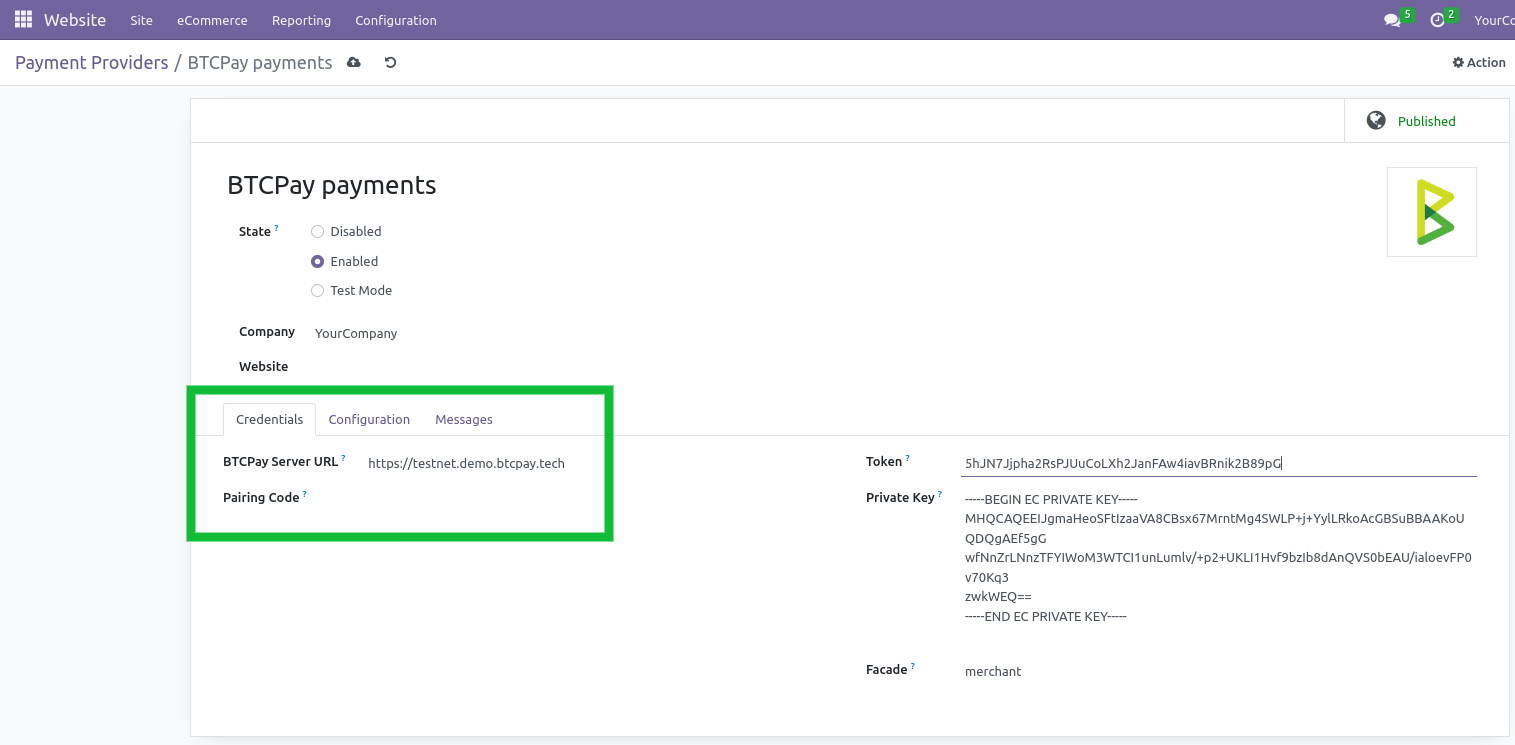
* Field Facade, keep default 'merchant'.
|
* Field Facade, keep default 'merchant'.
|
||||||
|
|
||||||
On the tab "Configuration":
|
On the tab "Configuration":
|
||||||
* Make sure field "Payment Journal" is set to "Bank", otherwise you can click the dropdown and click on the suggestion "Bank"
|
* Set field "Payment Journal" to "Bank", you can click the dropdown and click on the suggestion "Bank"
|
||||||
* Now you can **save** the settings
|
* Now you can **save** the settings
|
||||||
|
|
||||||
Check the payment method is enabled:
|

|
||||||
* Go to **Website** -> **Configuration** -> **Payment Methods**
|
|
||||||
* Make sure "Pay with Bitcoin / Lightning Network" is active
|
|
||||||
|
|
||||||
Congrats, all done. Do some testing to be sure all works.
|
|
||||||
|
|
||||||
|
|
||||||
|
|
||||||
## How does the payment page look?
|
## How does the payment page look?
|
||||||
|
|
||||||
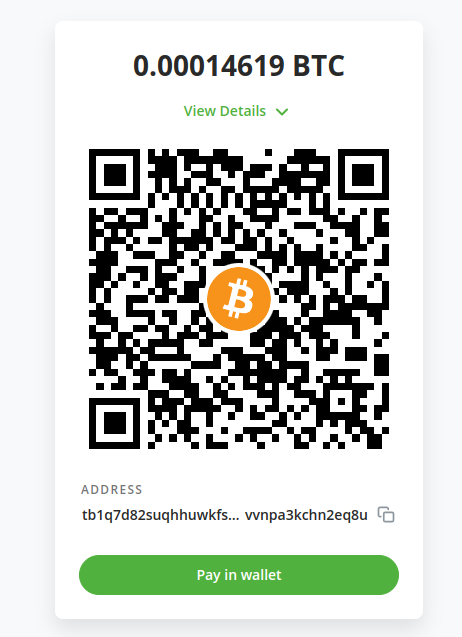
During the checkout the customers will have the option to select the payment method "Pay with Bitcoin / Lightning Network". After selecting they will be redirected to the BTCPay checkout page as shown below.
|
During the checkout the customers will have the option to select the payment method "Pay with Bitcoin / Lightning Network". After selecting they will be redirected to the BTCPay checkout page as shown below.
|
||||||
|
|
||||||
|

|
||||||
|
|
||||||
|
|
||||||
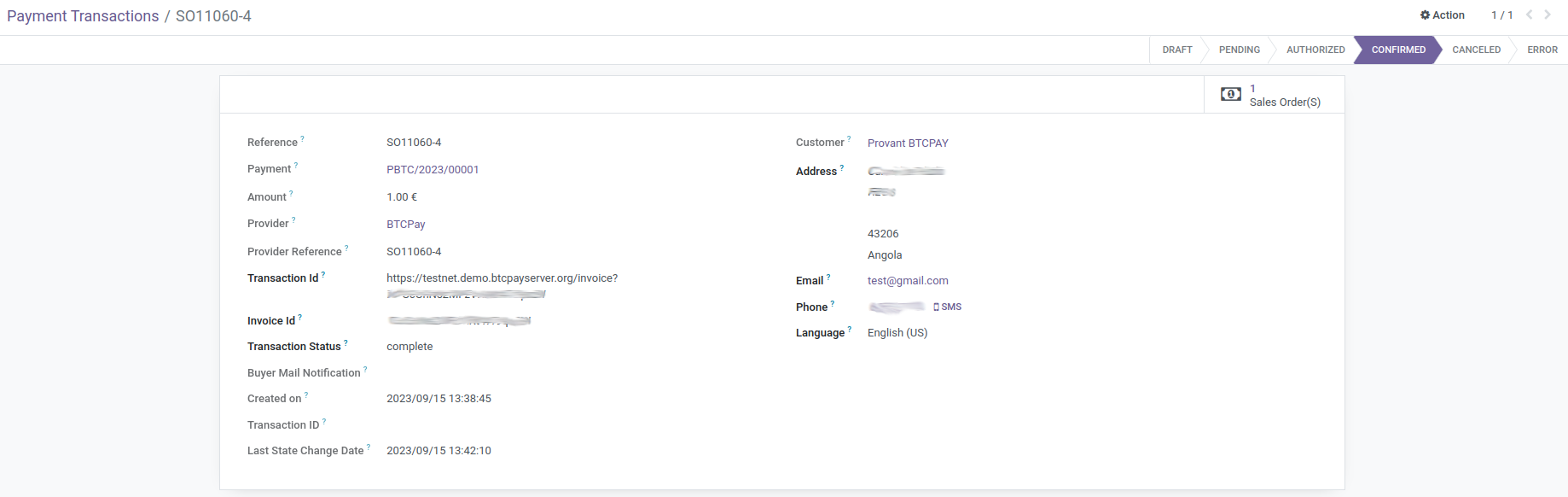
## Transaction BTCPay Details
|
## Transaction BTCPay Details
|
||||||
@@ -61,7 +51,7 @@ In transaction object, you will find more technical information about this metho
|
|||||||
* Invoice Id: the id of the invoice for which you want to fetch an event token
|
* Invoice Id: the id of the invoice for which you want to fetch an event token
|
||||||
* Transaction Status: That indicates state of transaction
|
* Transaction Status: That indicates state of transaction
|
||||||
|
|
||||||
|

|
||||||
|
|
||||||
## Troubleshooting
|
## Troubleshooting
|
||||||
### The order and transaction status does not get updated to "paid"
|
### The order and transaction status does not get updated to "paid"
|
||||||
|
|||||||
@@ -6,9 +6,9 @@ from . import models
|
|||||||
from odoo.addons.payment import setup_provider, reset_payment_provider
|
from odoo.addons.payment import setup_provider, reset_payment_provider
|
||||||
|
|
||||||
|
|
||||||
def post_init_hook(env):
|
def post_init_hook(cr, registry):
|
||||||
setup_provider(env, 'btcpayserver')
|
setup_provider(cr, registry, 'btcpayserver')
|
||||||
|
|
||||||
|
|
||||||
def uninstall_hook(env):
|
def uninstall_hook(cr, registry):
|
||||||
reset_payment_provider(env, 'btcpayserver')
|
reset_payment_provider(cr, registry, 'btcpayserver')
|
||||||
@@ -1,7 +1,7 @@
|
|||||||
#******************************************************************************
|
#******************************************************************************
|
||||||
# PAYMENT BTCPAY SERVER FOR ODOO
|
# PAYMENT BTCPAY SERVER FOR ODOO
|
||||||
#
|
#
|
||||||
# Copyright (C) 2024 Susanna Fort <susannafm@gmail.com>, ndeet
|
# Copyright (C) 2023 Susanna Fort <susannafm@gmail.com>, ndeet
|
||||||
#
|
#
|
||||||
#******************************************************************************
|
#******************************************************************************
|
||||||
#
|
#
|
||||||
@@ -21,11 +21,11 @@
|
|||||||
|
|
||||||
{
|
{
|
||||||
'name': 'Payment Provider: BTCPay Server',
|
'name': 'Payment Provider: BTCPay Server',
|
||||||
'summary': 'This module integrates BTCPAY - pay with Bitcoin - with Odoo v18.0',
|
'summary': 'This module integrates BTCPAY - pay with Bitcoin - with Odoo v16.0',
|
||||||
'author': 'BTCPay Server team and contributors',
|
'author': 'BTCPay Server team and contributors',
|
||||||
'website': 'https://github.com/btcpayserver/odoo',
|
'website': 'https://github.com/btcpayserver/odoo',
|
||||||
'category': 'Accounting/Payment Providers',
|
'category': 'Accounting/Payment Providers',
|
||||||
'version': '18.0.1.0',
|
'version': '16.0.2.0',
|
||||||
'license': 'GPL-3',
|
'license': 'GPL-3',
|
||||||
'currency': 'USD',
|
'currency': 'USD',
|
||||||
'application': False,
|
'application': False,
|
||||||
@@ -38,7 +38,7 @@
|
|||||||
'views/payment_transaction_views.xml',
|
'views/payment_transaction_views.xml',
|
||||||
'data/payment_provider_data.xml',
|
'data/payment_provider_data.xml',
|
||||||
],
|
],
|
||||||
'images': ['static/description/BTCPay-Odoo-17-featured.png'],
|
'images': ['static/description/BTCPay-Odoo-16-featured.png'],
|
||||||
'external_dependencies': {
|
'external_dependencies': {
|
||||||
'python': ['btcpay-python']
|
'python': ['btcpay-python']
|
||||||
},
|
},
|
||||||
|
|||||||
@@ -1,26 +1,13 @@
|
|||||||
<?xml version="1.0" encoding="utf-8"?>
|
<?xml version="1.0" encoding="utf-8"?>
|
||||||
<odoo noupdate="1">
|
<odoo noupdate="1">
|
||||||
|
|
||||||
<record id="payment_method_btcpayserver" model="payment.method">
|
|
||||||
<field name="name">Pay with Bitcoin / Lightning Network</field>
|
|
||||||
<field name="code">btcpayserver</field>
|
|
||||||
<field name="active">True</field>
|
|
||||||
<field name="image" type="base64" file="payment_btcpayserver/static/description/icon.png"/>
|
|
||||||
<field name="support_tokenization">False</field>
|
|
||||||
<field name="support_express_checkout">False</field>
|
|
||||||
</record>
|
|
||||||
|
|
||||||
<record id="payment_provider_btcpayserver" model="payment.provider">
|
<record id="payment_provider_btcpayserver" model="payment.provider">
|
||||||
<field name="name">BTCPay Server payments</field>
|
<field name="name">BTCPay payments</field>
|
||||||
|
<field name="display_as">Pay with Bitcoin / Lightning Network</field>
|
||||||
<field name="code">btcpayserver</field>
|
<field name="code">btcpayserver</field>
|
||||||
<field name="image_128" type="base64" file="payment_btcpayserver/static/description/icon.png"/>
|
<field name="image_128" type="base64" file="payment_btcpayserver/static/description/icon.png"/>
|
||||||
<field name="redirect_form_view_id" ref="redirect_form"/>
|
|
||||||
<field name="module_id" ref="base.module_payment_btcpayserver"/>
|
<field name="module_id" ref="base.module_payment_btcpayserver"/>
|
||||||
<field name="payment_method_ids"
|
<field name="redirect_form_view_id" ref="redirect_form"/>
|
||||||
eval="[Command.set([
|
|
||||||
ref('payment_btcpayserver.payment_method_btcpayserver'),
|
|
||||||
])]"
|
|
||||||
/>
|
|
||||||
</record>
|
</record>
|
||||||
|
|
||||||
</odoo>
|
</odoo>
|
||||||
@@ -89,6 +89,7 @@ class PaymentTransaction(models.Model):
|
|||||||
"""
|
"""
|
||||||
tx = self._get_tx_from_notification_data(provider_code, notification_data)
|
tx = self._get_tx_from_notification_data(provider_code, notification_data)
|
||||||
tx._process_notification_data(notification_data)
|
tx._process_notification_data(notification_data)
|
||||||
|
tx._execute_callback()
|
||||||
return tx
|
return tx
|
||||||
|
|
||||||
def _process_notification_data(self, notification_data):
|
def _process_notification_data(self, notification_data):
|
||||||
|
|||||||

Binary file not shown.
|
After Width: | Height: | Size: 155 KiB |

Binary file not shown.
|
Before Width: | Height: | Size: 154 KiB |
@@ -7,7 +7,7 @@
|
|||||||
<h3 class="oe_slogan">This module allows you to accept Bitcoin / Lightning Network (and other cryptocurrency) payments in your Odoo e-commerce store.</h3>
|
<h3 class="oe_slogan">This module allows you to accept Bitcoin / Lightning Network (and other cryptocurrency) payments in your Odoo e-commerce store.</h3>
|
||||||
<div class="oe_span12">
|
<div class="oe_span12">
|
||||||
<div class="oe_bg_img">
|
<div class="oe_bg_img">
|
||||||
<img src="BTCPay-Odoo-17-featured.png" class="oe_picture oe_screenshot">
|
<img src="BTCPay-Odoo-16-featured.png" class="oe_picture oe_screenshot">
|
||||||
</div>
|
</div>
|
||||||
</div>
|
</div>
|
||||||
</div>
|
</div>
|
||||||
@@ -65,7 +65,7 @@
|
|||||||
<div class="oe_span12">
|
<div class="oe_span12">
|
||||||
<p class="oe_mt32">
|
<p class="oe_mt32">
|
||||||
<ul>
|
<ul>
|
||||||
<li>Odoo 17 running</li>
|
<li>Odoo 16 running</li>
|
||||||
<li>eCommerce module enabled</li>
|
<li>eCommerce module enabled</li>
|
||||||
<li>You have a BTCPay Server version 1.10.0 or later, either <a href="https://docs.btcpayserver.org/Deployment/">self-hosted</a> or <a href="https://docs.btcpayserver.org/Deployment/ThirdPartyHosting/">hosted by a third-party</a></li>
|
<li>You have a BTCPay Server version 1.10.0 or later, either <a href="https://docs.btcpayserver.org/Deployment/">self-hosted</a> or <a href="https://docs.btcpayserver.org/Deployment/ThirdPartyHosting/">hosted by a third-party</a></li>
|
||||||
<li><a href="https://docs.btcpayserver.org/RegisterAccount/" class="">You've a registered account on the instance</a></li>
|
<li><a href="https://docs.btcpayserver.org/RegisterAccount/" class="">You've a registered account on the instance</a></li>
|
||||||
@@ -84,7 +84,7 @@
|
|||||||
<p class="oe_mt32">
|
<p class="oe_mt32">
|
||||||
<ul>
|
<ul>
|
||||||
<li>Clone our [repository](https://github.com/btcpayserver/odoo) or download the .zip from the [releases page](https://github.com/btcpayserver/odoo/releases)
|
<li>Clone our [repository](https://github.com/btcpayserver/odoo) or download the .zip from the [releases page](https://github.com/btcpayserver/odoo/releases)
|
||||||
<li>Make sure you are on branch `17.0` or downloaded a release tagged with version v17.x
|
<li>Make sure you are on branch `16.0` or downloaded a release tagged with version v16.x
|
||||||
<li>Place the `payment_btcpayserver` directory in your Odoo addons directory
|
<li>Place the `payment_btcpayserver` directory in your Odoo addons directory
|
||||||
<li>Install dependencies by running `pip install -r requirements.txt` (from inside the `payment_btcpayserver` directory)
|
<li>Install dependencies by running `pip install -r requirements.txt` (from inside the `payment_btcpayserver` directory)
|
||||||
<li>Restart Odoo
|
<li>Restart Odoo
|
||||||
|
|||||||
@@ -7,11 +7,11 @@
|
|||||||
<field name="inherit_id" ref="payment.payment_provider_form"/>
|
<field name="inherit_id" ref="payment.payment_provider_form"/>
|
||||||
<field name="arch" type="xml">
|
<field name="arch" type="xml">
|
||||||
<group name="provider_credentials" position='inside'>
|
<group name="provider_credentials" position='inside'>
|
||||||
<group invisible="code != 'btcpayserver'">
|
<group attrs="{'invisible': [('code', '!=', 'btcpayserver')]}">
|
||||||
<field name="btcpay_location"/>
|
<field name="btcpay_location"/>
|
||||||
<field name="btcpay_pairingCode"/>
|
<field name="btcpay_pairingCode"/>
|
||||||
</group>
|
</group>
|
||||||
<group invisible="code != 'btcpayserver'">
|
<group attrs="{'invisible': [('code', '!=', 'btcpayserver')]}">
|
||||||
<field name="btcpay_token"/>
|
<field name="btcpay_token"/>
|
||||||
<field name="btcpay_privateKey"/>
|
<field name="btcpay_privateKey"/>
|
||||||
<field name="btcpay_facade"/>
|
<field name="btcpay_facade"/>
|
||||||
|
|||||||
Reference in New Issue
Block a user